



Portfolio & Inventory
Tracking collections and programs
Collections and programs are how Diamond Dynasty hands out its best rewards — but it’s easy to lose track of what you’ve finished, what’s close, and what it would cost to complete. DiamondOps keeps both organized against your own synced inventory.
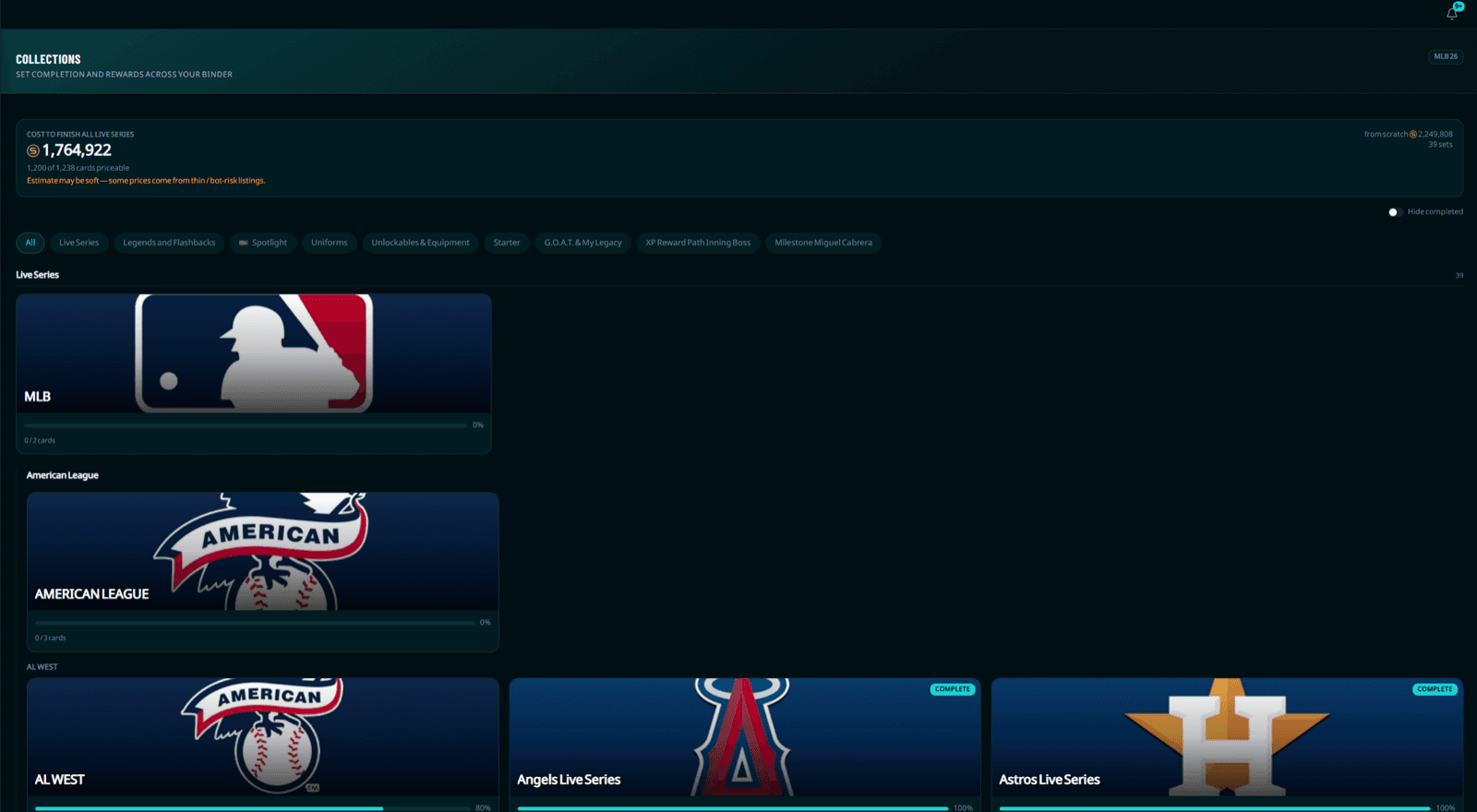
Collections: your binder, organized
The collections page lays out every set and its reward in one place. Once you’ve synced your inventory, each collection shows your real completion — what you already own toward it and what’s still missing — so you can see at a glance which sets are within reach. A hide-completed toggle clears the finished ones out of the way so you’re only looking at what’s left to chase.
The cost to complete
The most useful number collections add is the cost summary: the stub cost to finish a set based on the current market price of the cards you’re missing. That turns a vague “should I go for this collection?” into a real decision — you can weigh the reward against what it would actually cost to buy the remaining cards today, and decide whether to complete now or wait for prices to fall. The Live Series rollup gives you a standing headline cost across the biggest set group.
Live Series, structured
Live Series — the largest, most active collection group — is broken down into a league → division → team tree instead of one endless grid, so you can drill straight to the team you’re collecting and see exactly which players you still need. Every other category shows as a clean grid, and category chips let you jump between them when there’s more than one.
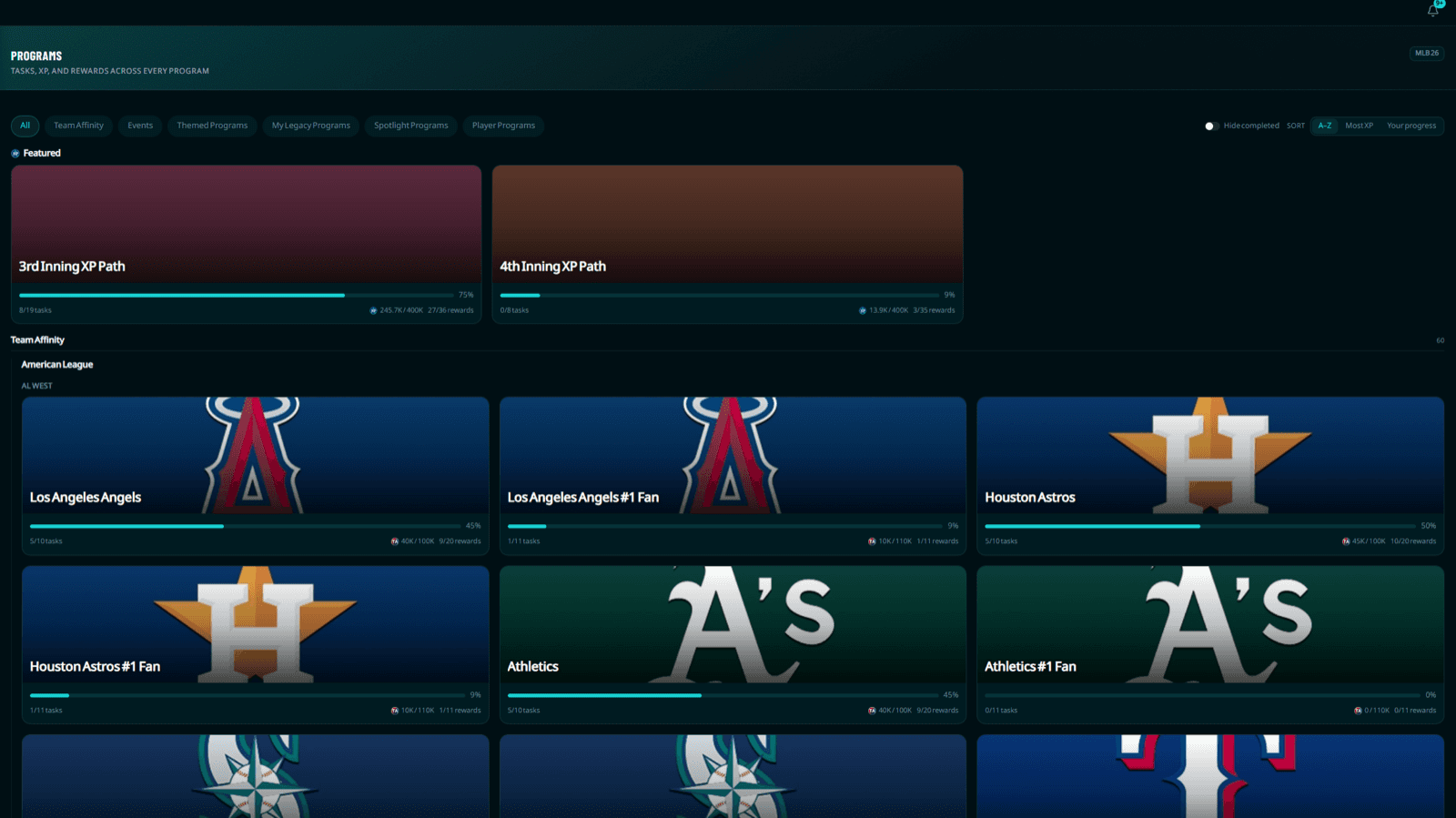
Programs: tasks, XP, and rewards
The programs page covers the other half of the reward economy. It lists every program’s tasks, the XP they grant, and the rewards along the track. Signed in, it tracks your progress so you can see how far you are and which tasks move you fastest toward the reward you want — useful when a program is time-limited and you’re deciding where to spend your sessions.
Why syncing matters here
Completion tracking only works because it’s keyed to your cards. Sync your inventory and both pages light up with your real progress; without it, you’re browsing the catalog blind. Syncing is free for signed-in users — the portfolio guide walks through how it works and what it unlocks across the platform.
Putting it together
- Sync your inventory so collections and programs reflect what you actually own (see the portfolio guide).
- On collections, hide completed sets and sort your attention to the ones closest to done.
- Check the cost-to-complete before committing — sometimes waiting for a card to dip is the smarter play.
- On programs, target the tasks that move you fastest toward the rewards you want before they expire.